๐Ÿ™

Your calories.
Your Health app.
Your data.

Onigiri tracks calories, nutrition, and water on iPhone, iPad, and Apple Watch โ€” and saves every log straight to Apple Health. No account. No ads. No subscriptions. Nothing to lose other than weight.

Read the guide Build it yourself

Source-available ยท iOS 18 / watchOS 10+ ยท Built 100% agentically with Claude Code

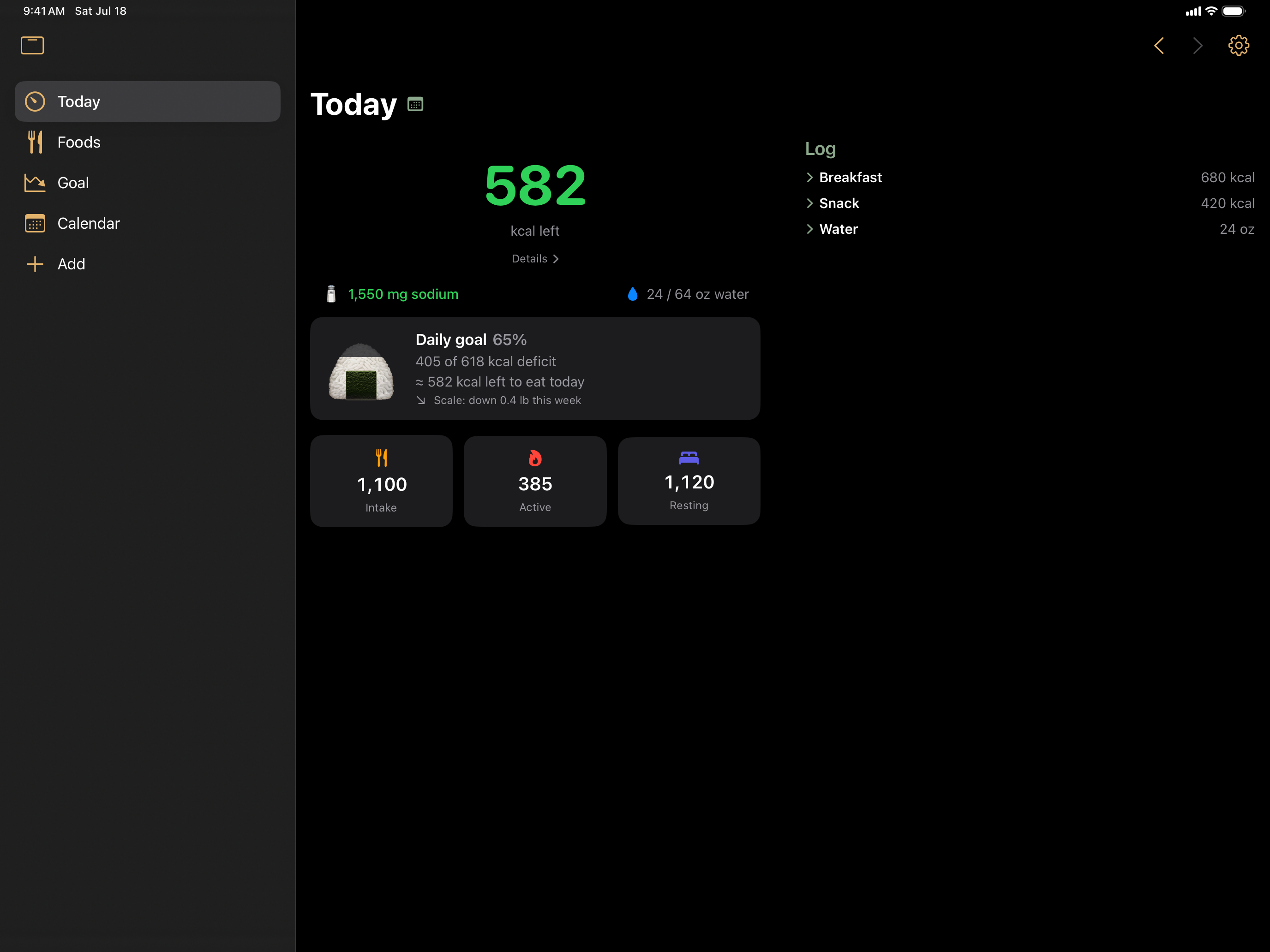
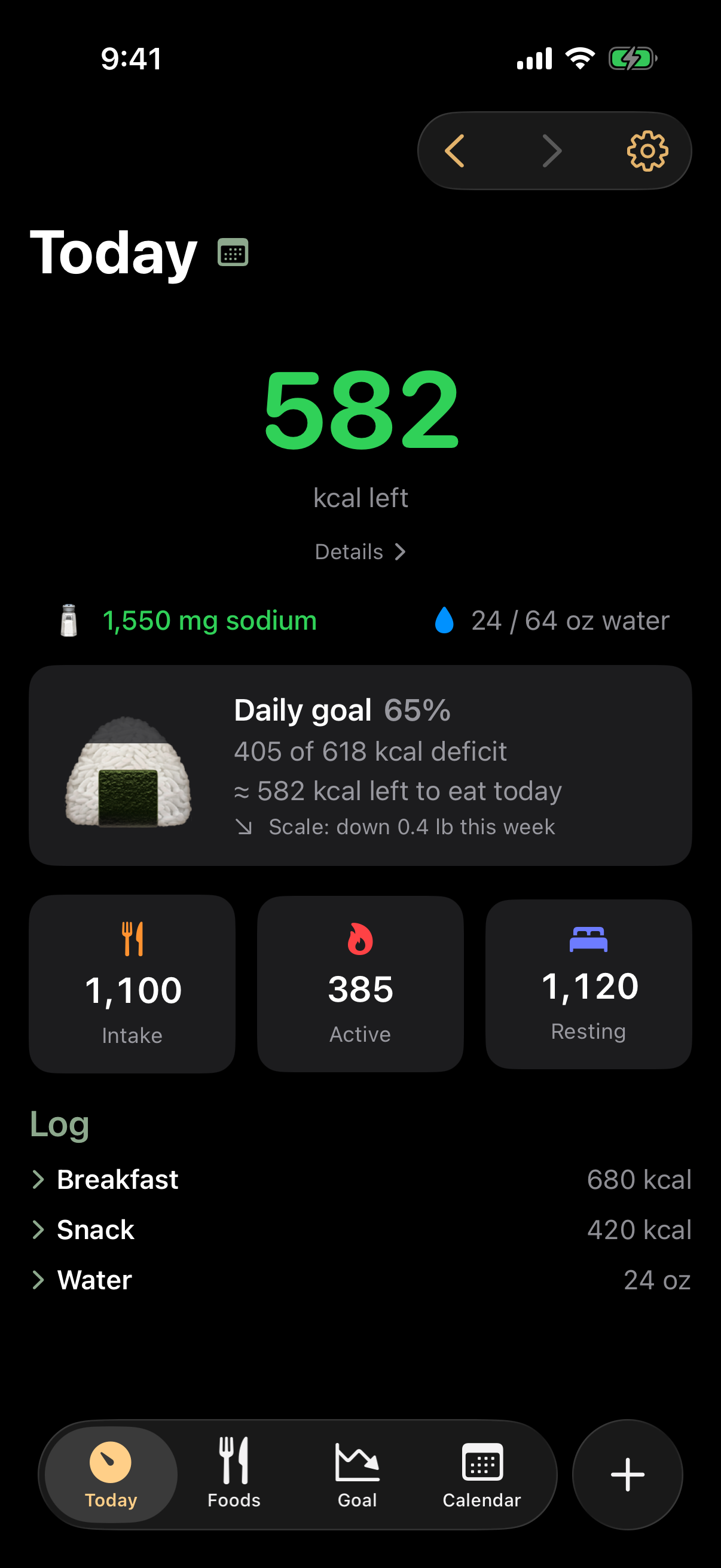
The Today screen: calorie balance headline, sodium and water, the daily goal gauge, energy meters, and the log
The day at a glance

One number that means something

What you ate minus what you burned โ€” active and resting energy, straight from Apple Health โ€” with the calories you have left for the day. Amber when you're close, orange when you're over.

  • Step between days with the chevrons and backfill yesterday's forgotten dinner in two taps.
  • Sodium, water, or any nutrient you choose, tracked right on the home screen.
  • Every entry editable โ€” swipe to adjust or delete, one-tap undo.
Your own food library

Log in a tap or two

Favorites first, recents next, and custom meals that log a whole plate at once. Search your library and two public food databases from one field.

  • Scan a barcode โ€” or photograph the nutrition label and Onigiri reads the numbers off it, on-device.
  • One search field for your library and, when online lookups are on, two public food databases.
  • Duplicates caught by barcode, so your library stays clean.
Optional AI

Off by default. On your terms.

AI features are off by default โ€” Onigiri logs food and tracks your goal without them. Turn on AI to estimate food by describing it and enable vision recognition.

  • Off by default โ€” nothing AI-related runs until you enable it, offered once at onboarding, changeable anytime in Settings.
  • Local if you like โ€” with Apple Intelligence, estimates, label reading, and photo identification all happen on your iPhone. No data is sent to third parties โ€” everything remains on your device.
  • Or bring your own AI โ€” your Anthropic or OpenAI account, or a local OpenAI-compatible server (Ollama, LM Studio โ€” Gemma, Qwen, and more).
  • Always reviewed โ€” every estimate is labeled with where it came from and nothing is logged until you say so. Foods and logs created with AI keep a small โœจ by their name.
A plan for your goal

Set a target. Eat your budget.
Watch the trend.

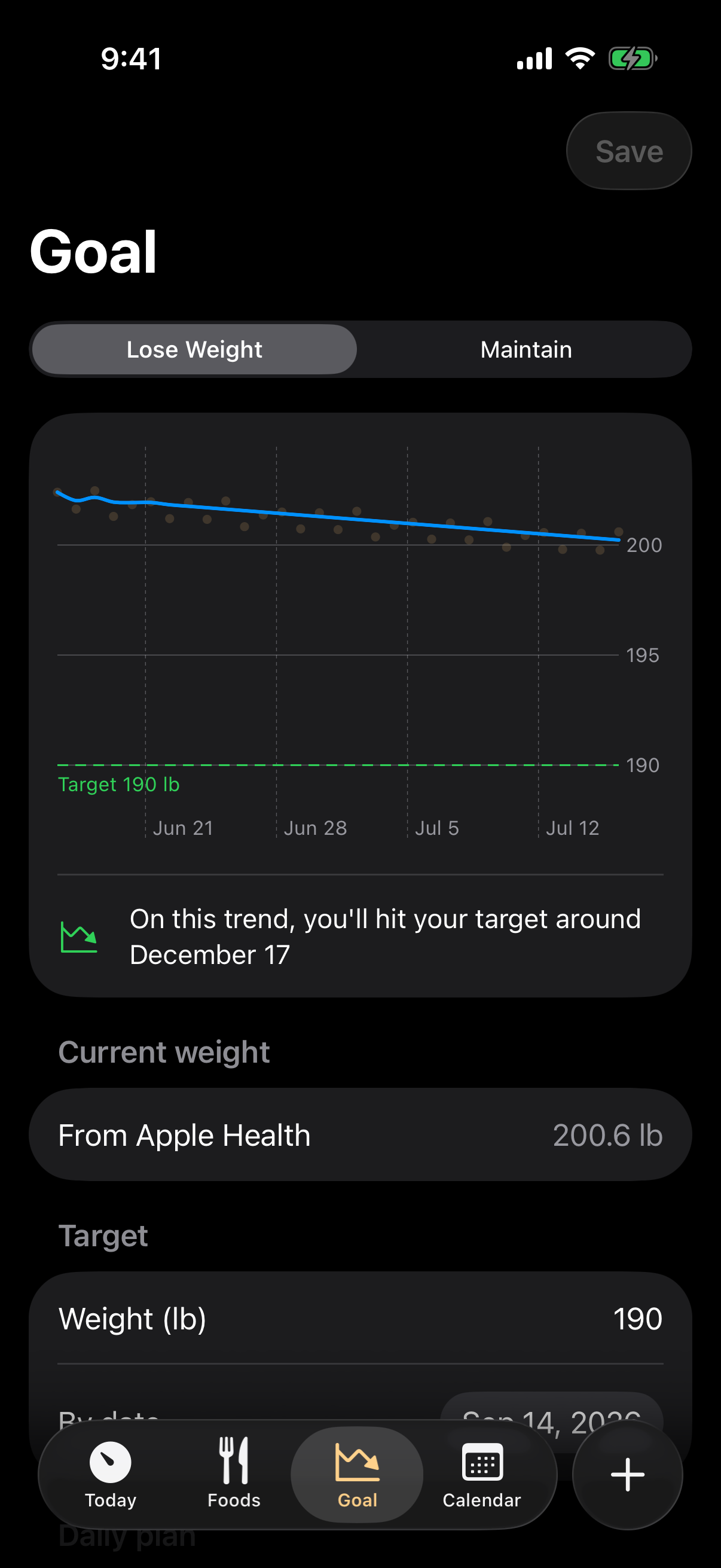
Pick a weight and a date โ€” Onigiri computes the daily deficit, turns it into a calorie budget, and projects your finish date from your real weigh-ins.

  • Honest budgets that grow with an active day โ€” never less than what you've actually burned.
  • Predicted vs. the scale over the last 30 days, side by side.
  • Aggressive plans get flagged โ€” the fix is a later date, not eating less.
The Goal tab with weight trend and projection
Streaks that keep you honest

Earn the onigiri, every day

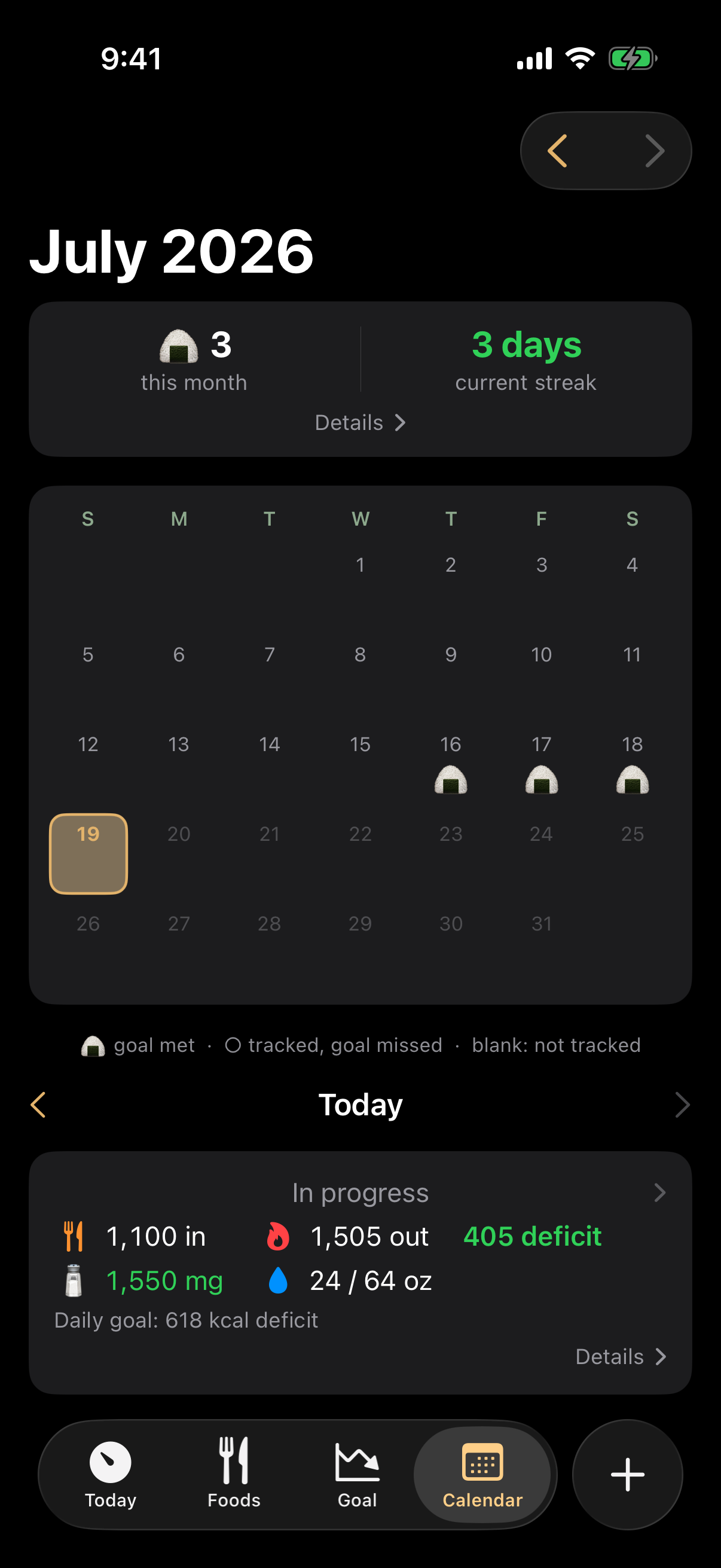
Days that hit their goal earn your badge โ€” the month grid and streak counter make consistency visible. Judged by the goal you had that day, so moving the goalposts never rewrites history.

  • Pick your badge โ€” onigiri, trophy, or any emoji you like.
  • Forgot to log? Light days count as untracked, not as fasting.
  • Month stats: goal-met rate, total deficit, and what the scale did.
Calendar with earned onigiri badges and streak
Everywhere you are

Wrist, Home Screen, Lock Screen, iPad

Log from the watch without touching your phone. Glance at widgets that refresh within seconds of any log โ€” even when made on other devices. Or just say it: “Log water in Onigiri” logs by voice โ€” saved meals and favorite foods by name โ€” and “How many calories do I have left in Onigiri?” gets a spoken answer, on the phone or the watch.

On your wrist

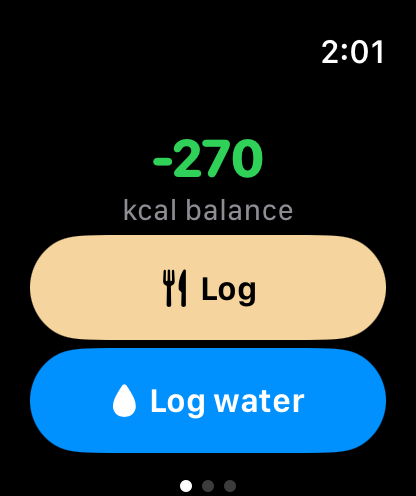
Apple Watch app: balance headline and log buttons

The watch app works on its own: log foods and water right from your wrist, turn the crown to adjust an entry, and put your calorie balance on the watch face as a complication.

On your Home and Lock Screens

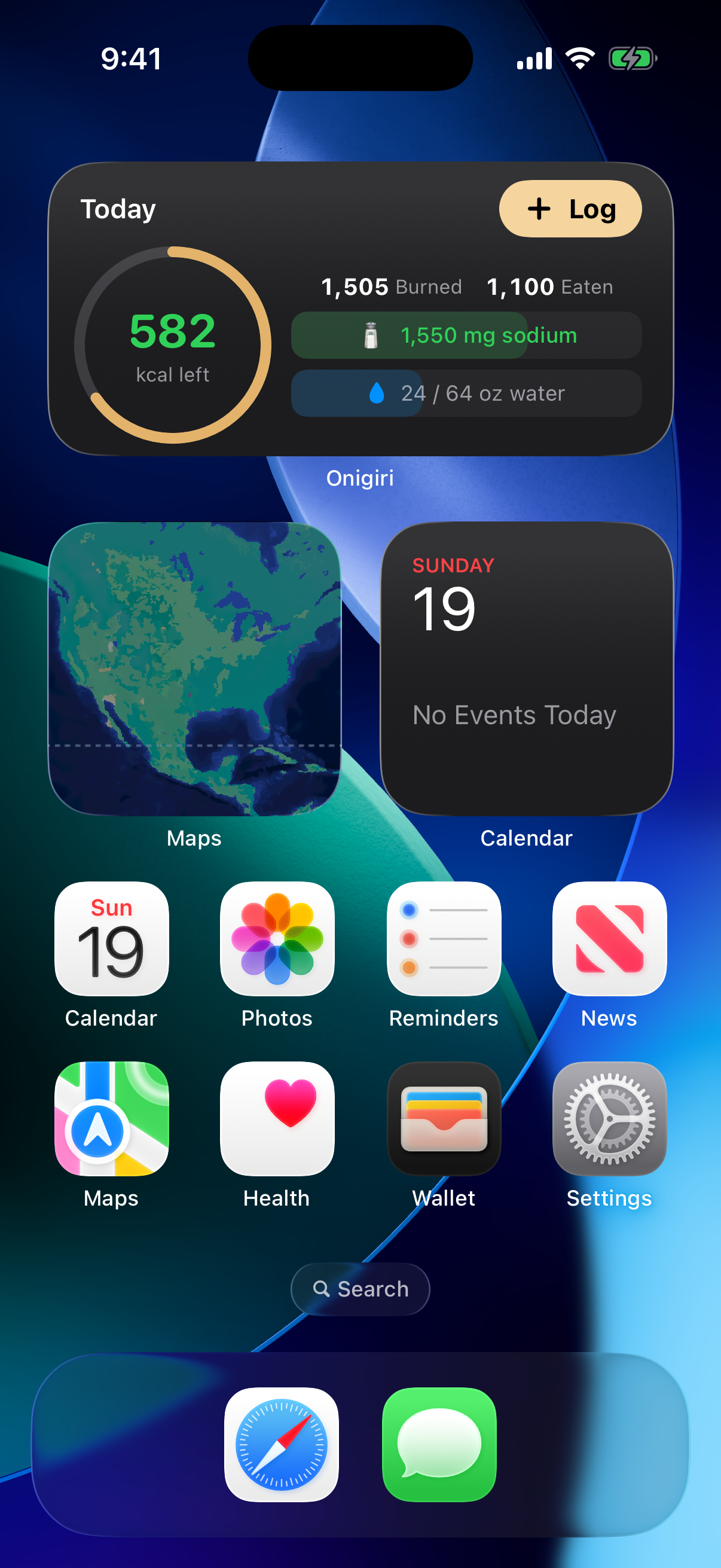
The Today widget on the Home Screen

Widgets show today's balance, your water progress, and your streak at a glance โ€” and a Control Center button logs a serving of water without opening the app.

On your iPad

Today on iPad: sidebar navigation with the summary beside the log

On iPad, the day's summary and its log sit side by side with a sidebar for navigation โ€” and it all works in Split View, Slide Over, and Stage Manager.
How the daily goal works

No mystery numbers

Set a goal

A target weight and date. Onigiri works out the daily calorie deficit needed to get there โ€” burning more than you eat.

Eat within your budget

Budget = your average daily burn minus that deficit. The ring shows how much you can still eat today and stay on pace.

Watch the scale follow

Finish at or under budget and the deficit is banked. Do it consistently and the trend line does the rest.

Example. Your average burn is ~2,800 kcal/day and your goal needs a 350 kcal/day deficit โ€” a 2,450 kcal budget. You've eaten 2,300, so the ring reads 150 kcal left: room for 150 more and you still land the deficit by bedtime.
Private by design

Your data stays yours.

Your logs live in Apple Health on your device, under Apple's protections. By default, no data is sent to third parties โ€” everything remains on your device.

No analytics No servers No tracking Optional AI Data Not Collected Works offline

Read the full privacy policy โ†’

Source-available

Read it. Build it. Make it yours.

The whole app is on GitHub under the PolyForm Noncommercial license โ€” free to build, run, and modify for any noncommercial purpose.